bio-iMail
Vault encrypts your Outlook emails items into a
special biometrically secured and protected folder.
All email received or sent can be read by anyone simply opening
your Microsoft Outlook application. It is all there for them
to read. There is simply no other way so say it, but your email
messages are not private email, they are public email.
However, you can take control of your privacy by using bio-iMail
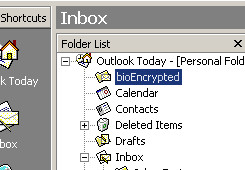
Vault, especially designed for Microsoft Outlook. Simply drag
and drop your private emails into the Encrypted folder and you
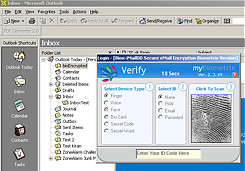
are assured no one else can read these emails, because they do
not have your face finger or voice.
bio-iMail Vault supports multiple users, is integrated seamlessly
into Outlook email and is as simple to use as drag and drop.
Key
Features
- Any
email in Outlook can be simply dragged to the Encrypted
folder which is protected by AES256 Department of Defense
approved encryption, and your own personal biometric.
- Administration
Control. Administrators can be allocated to have full control
over the setting and operation of bio-iMail Vault settings.
- Extensive
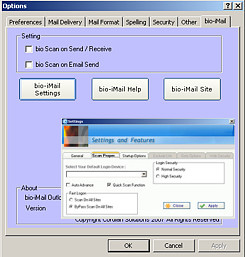
configuration to suite the environment by selecting the
type of authentication.
- Emergency
override setting is optional in the event of a scanning
device failure
- Multiple
Users is of course supported as is the case with all myBiodentity
applications.
bio-iMail
Vault delivers the privacy and security that is so much needed
with email. |